
We assume in this diagram that the wind comes from port.
Style Sheet
Getting Started with the DashBoard |
Overview and Description |
Back on Top |
Installation |
Back on Top |
Getting Started |
Back on Top |
Importing Data |
Top of Section |
Available options to display |
Top of Section |
Segmenting a file |
Top of Section |
Statistics |
Top of Section |
Marks, notes, comments |
Top of Section |
Drifting: Tide and Leeway |
Top of Section |
To the heading, we must add or substract the leeway, to know what the actual route over the water was.
To this route over the water, the potential current vector is combined to the surface route vector to return the course and speed over the ground.
No accurate calculation of the tide can be done before we know what the route over the water was, which means that all this calculation depends on the accuracy of the leeway computing.
We assume in this diagram that the wind comes from port.
We will consider that the leeway is an angle. As opposed to the current, which is a vector.
The current is pretty easy to calculate, it's the difference between the position returned by the
dead reckoning and the one returned by the GPS.
All the difficulty comes from the fact that the dead reckoning has to be calculated with the
surface route, which involves this leeway angle...
More information about the way we calculate the leeway can be found
here, in the "Calculate Leeway" section.
But this is just the beginning, the theorical part... The function described in this document returns a value that has to be
tweaked after the real conditions, which mainly involve parameters depending on:
To clearly explain all this, let us take concrete examples. A first interesting one will show the
way we manage the data logged on May 31st 2003, on the Berkeley Circle.
This day, the sea was not oriented in the wind, generating a different leeway on both tacks. It was also quite
choppy out there, generating more leeway than usually.
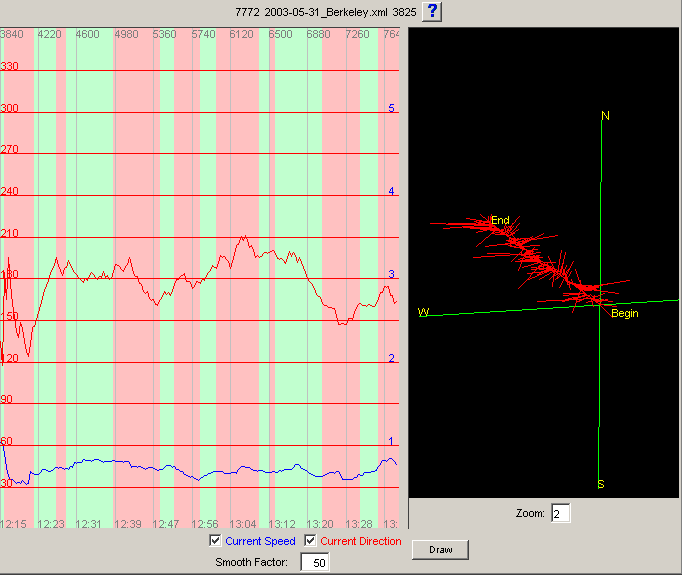
We will see how to elaborate the leeway factors, obtaining by the end a constant reading of the current, even
when tacking or rounding a mark.
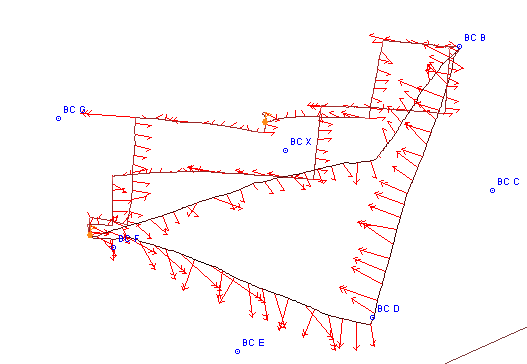
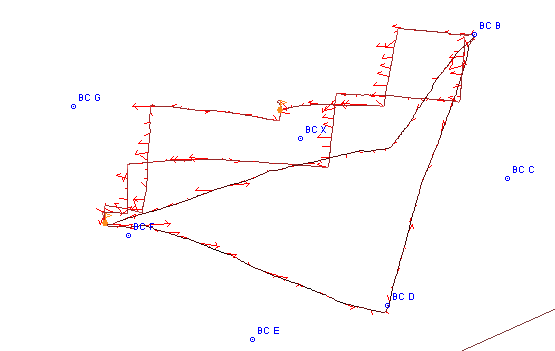
We will assume that the segmentation of the data file has been done already. Let's display the course of the first race,
and let's draw the current on the chart. We should obtain this:
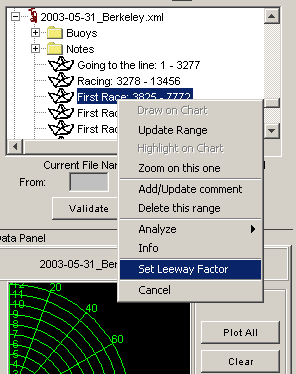
Right-click on the file, or on the segment, and choose the appropriate menu item. |
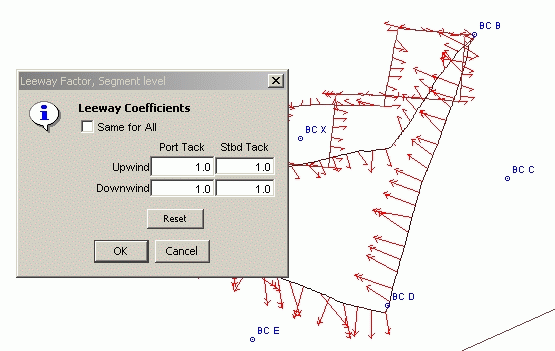
Values are set to 1.0, neutral element. |
We want to change those values, as follow:
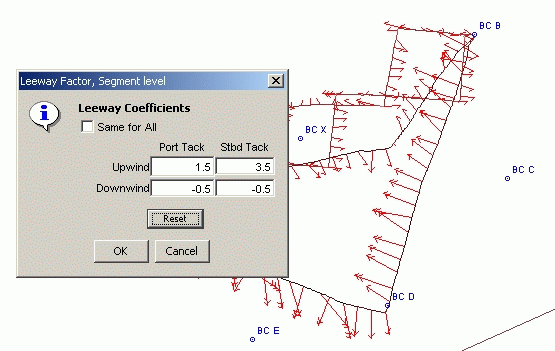
A similar process was applied to the data logged on June 7th 2003, when rounding Southampton Shoals. We were going north with the spinnaker, and came back south after dropping it around the mark, leaving it to starboard.
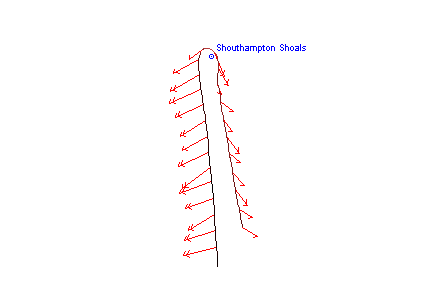
Before correction
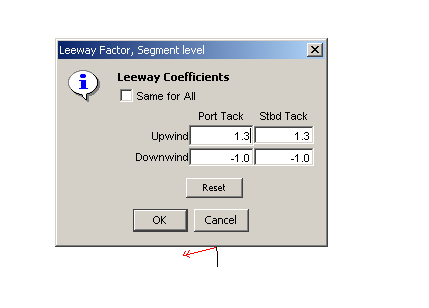
New values
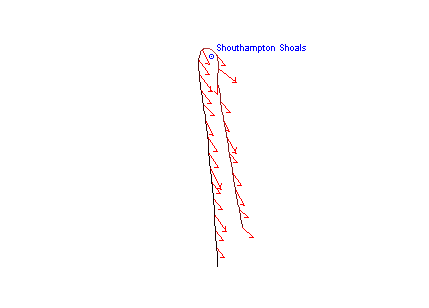
After correction, much better
Prediction |
Top of Section |
Report a bug, or request an enhancement |
Back on Top |